
Catch overuse before it's too late
No more running out of data at the end of the month. Understand your daily usage at a glance.
Remaining data on a graph
See how your data goes down until the reset day, and whether your current pace will make it.
Cellular and Wi-Fi
Records both, hour by hour and day by day, so you can see how much Wi-Fi saved you.
Fits your plan
Set your data allowance, pick a reset day from the 1st to the 31st, and choose how leftover data carries over.
Widgets and Apple Watch
Check what's left from Home Screen and Lock Screen widgets or your Apple Watch face, without opening the app.
Clear graphs, every day
Today's and this month's usage, split into cellular and Wi-Fi.
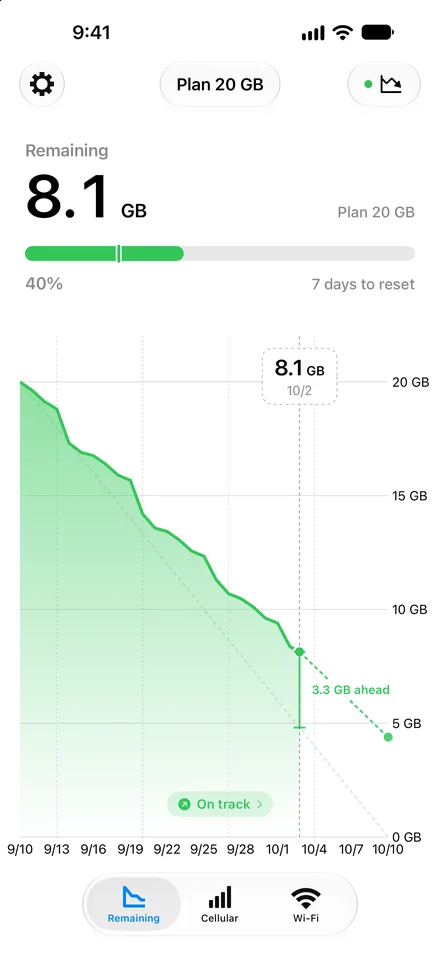
Remaining and pace 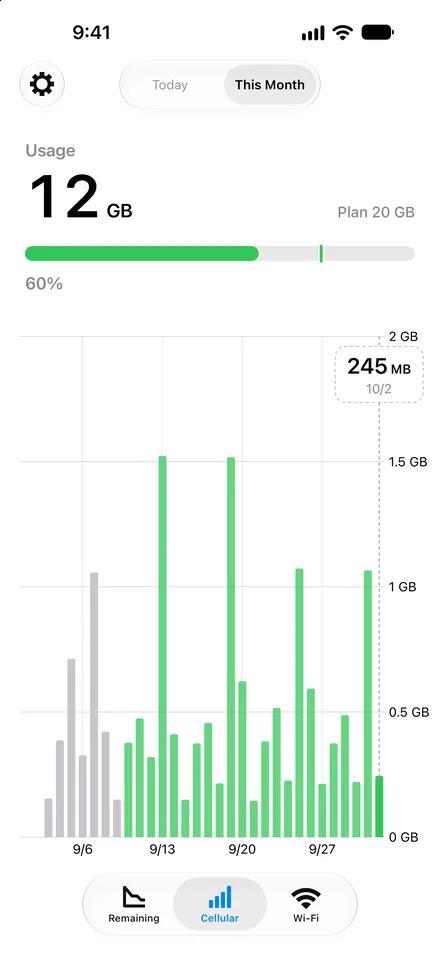
Cellular 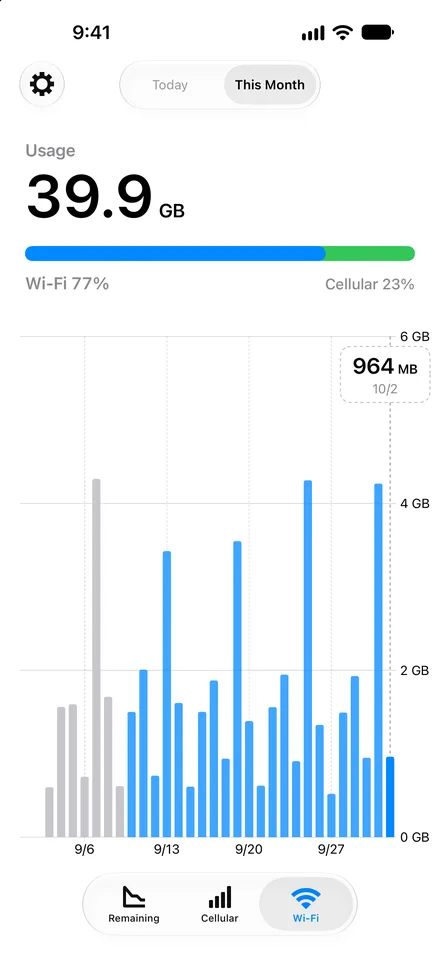
Wi-Fi 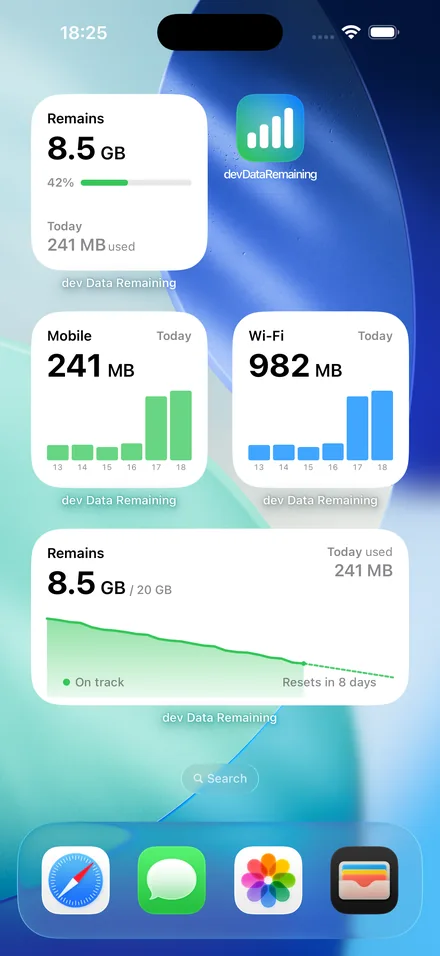
Widgets


Loved in Japan
Rated 4.4 by more than 11,500 people on the Japanese App Store.
-
Remaining data at a glance in the widget
Since switching to a budget SIM, I've been watching my data. With this app I can see what's left in a second, which makes it easy to keep my usage under control.
-
See what's left at a glance
I save by capping my mobile data at 1 GB, so being able to actually see what's left is a huge help.
-
Amazing app
It's just a graph and a number, so I know how much data I have left two seconds after opening it.
Excerpts translated from Japanese App Store reviews. Ratings as of October 2026.
On your Apple Watch, too
Put your remaining data on your watch face and check it with a flick of the wrist.
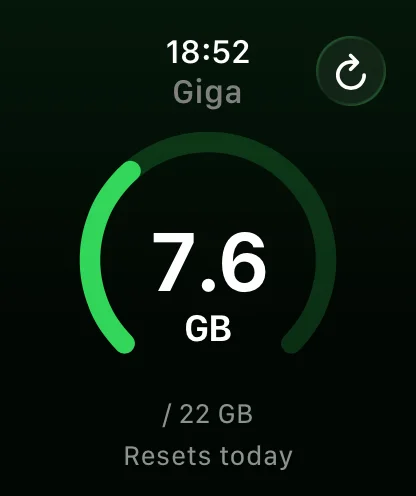
App 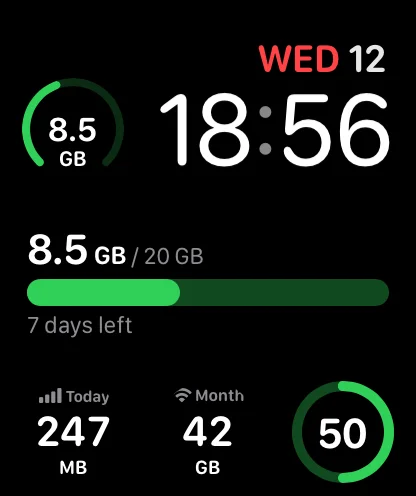
Modular face 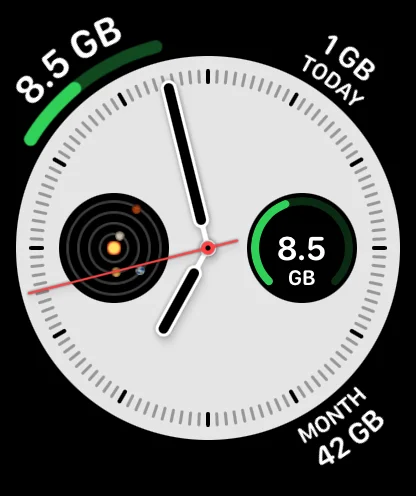
Analog face
We never look at what you do online
The app only reads the total amount of Wi-Fi and cellular data used by your device. It never sees which sites you visit or how much each app uses. Your usage records are stored on your device.
To improve the app, it sends a summary of your usage, rounded to multi-GB bands, to Firebase Analytics. Ads are served through Google AdMob, which collects an advertising identifier and similar information. You can turn analytics off anytime in Settings > Support > Privacy.
Data Remaining PRO
For when you want to see further ahead.
- Forecasts your remaining data until the next reset and shows your pace
- Home Screen and Lock Screen widgets with usage trends and forecasts
- Apple Watch usage summary and complications
- No ads
Available as a subscription or a one-time purchase.
Questions
Anything else? Contact us.
Is it free?
Tracking, graphs and widgets are free. The free version shows an ad banner, which you can remove with a one-time purchase. Forecasts, the pace indicator and extra widgets come with Data Remaining PRO (subscription or one-time purchase).
Why does the number differ from my carrier's?
The app measures usage from records stored on your device, so it may differ from your carrier's figures. You can match it to your carrier's number from Used data in Settings.
Does it keep tracking when the app is closed?
Yes, it updates in the background. If you force-close the app by swiping it up, background updates stop until you open it again.
Will it drain my battery?
Measuring only reads the usage totals that iOS already keeps. iOS also decides when to run background updates based on your battery.
Is tethering included?
Yes. Data used through Personal Hotspot is recorded as cellular usage.
Check your data now
